


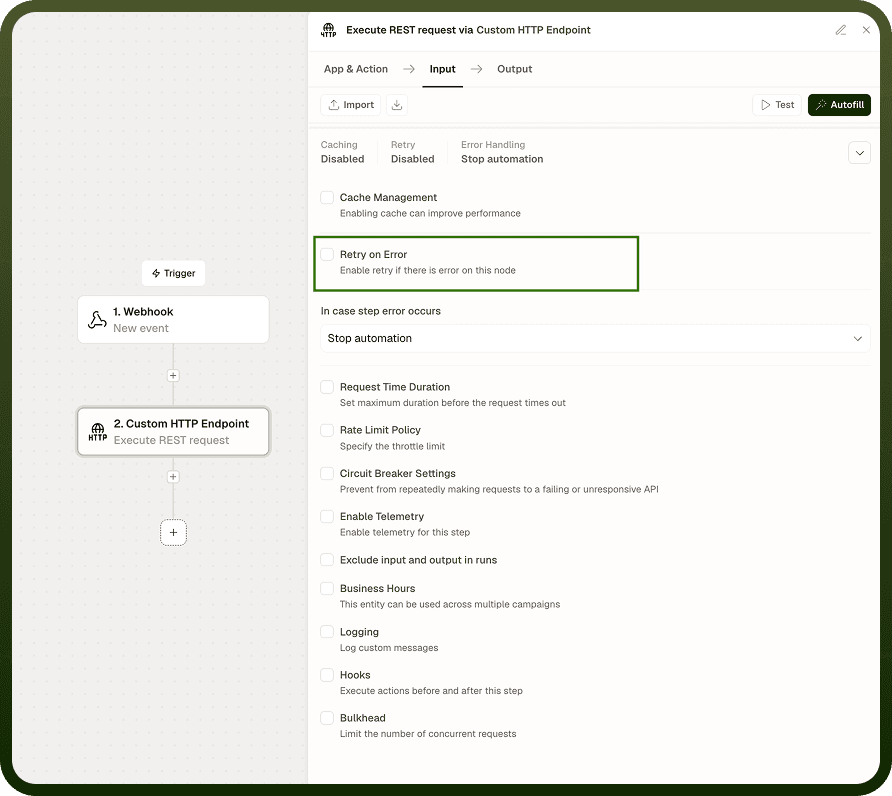
Retry on Error automatically re-executes a failing node up to a configured number of times — with back-off timing between attempts — before deciding whether to stop the automation, continue past the failure, or route to a dedicated error path.
Overview
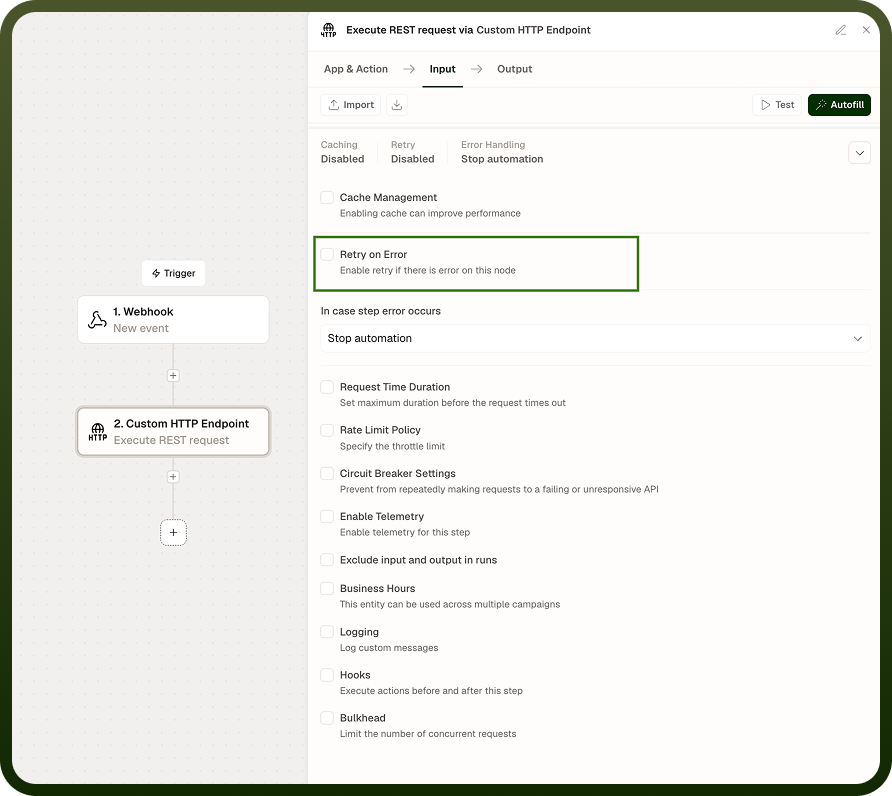
Retry on Error is a node-level error-handling mechanism that automatically re-executes a failing node up to a configured number of times before deciding what to do next.
Transient failures — network blips, rate limit responses, temporarily unavailable services — are common in distributed workflows. Rather than letting a single failed API call end the entire run, Retry on Error re-attempts the node with configurable back-off timing. If all retries are exhausted, you control whether the automation stops, continues, or routes to a dedicated error path.
Use Cases
Transient API failures — An external service is temporarily overloaded and returns a 503. Retry on Error waits and tries again before giving up, so short outages do not cause failed runs.
Rate limit handling — A connector hits an API's rate limit window. With exponential back-off, the retry waits progressively longer between attempts, giving the window time to reset.
Configuration
Field | Description |
|---|---|
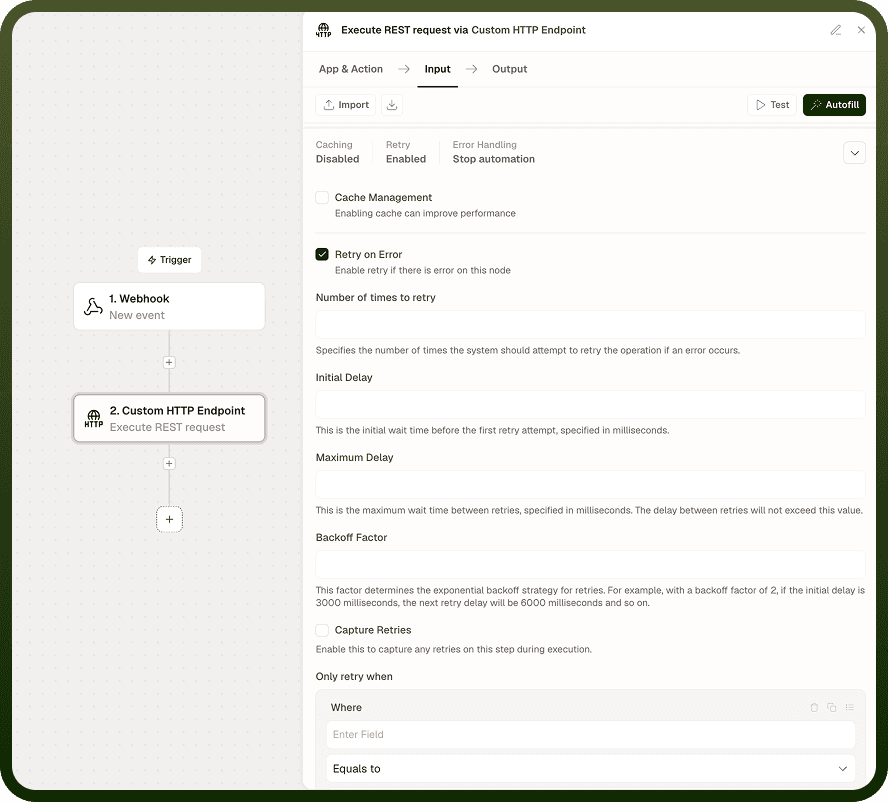
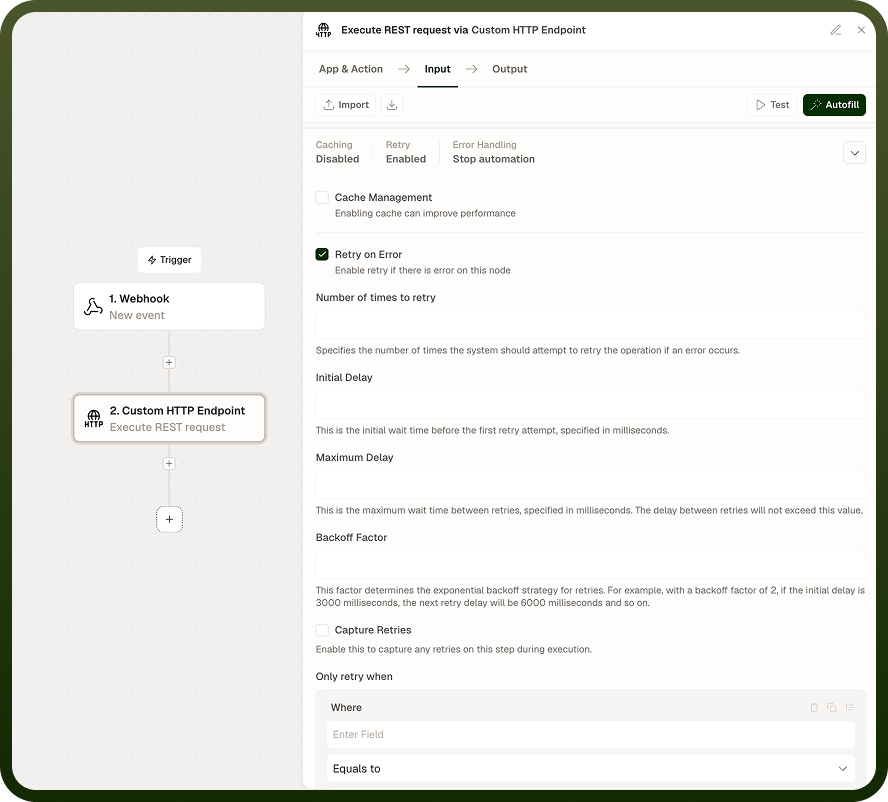
Retry Enable/Disable | Toggle retry behavior on or off for this node independently of other nodes in the automation |
Number of Retry Attempts | How many times to re-attempt the node before escalating to the error handling option |
Initial Delay | Wait time before the first retry attempt, in milliseconds |
Maximum Delay | Maximum wait between any two retry attempts, in milliseconds — caps the exponential growth |
Backoff Factor | Multiplier applied to each successive delay (e.g., factor of 2 with 1000 ms initial → 1000, 2000, 4000 ms per attempt, up to Maximum Delay) |
Error Handling Options | What to do once all retries are exhausted: Stop automation, Continue automation, or Follow error path |
Conditional Retries
Click "Add Condition" or "Add Condition Group" to restrict retries to specific error types. For example, retry only when the HTTP status code is 429 or 503, but stop immediately on a 401.
Notes
Retry on Error makes automations resilient to the transient failures that occur in any real integration. To configure it effectively:
Set a meaningful Initial Delay based on the upstream service's typical recovery time — 1000 ms for most HTTP services, longer for database operations.
Use the Backoff Factor (2 is a safe default) with a Maximum Delay cap to prevent a slow service from holding the run open for minutes.
Choose "Follow error path" when downstream logic should handle the failure gracefully (logging to a monitoring system, sending an alert) rather than silently continuing or stopping.
Use conditional retries to avoid re-attempting non-retryable errors (4xx authentication failures, validation errors) that will fail regardless of how many times you retry.
Well-tuned retry settings are the difference between an automation that self-heals during brief outages and one that generates false alarms for every transient glitch.